Seven Ways to Edit Many Lines in Neovim, Scored in Keystrokes
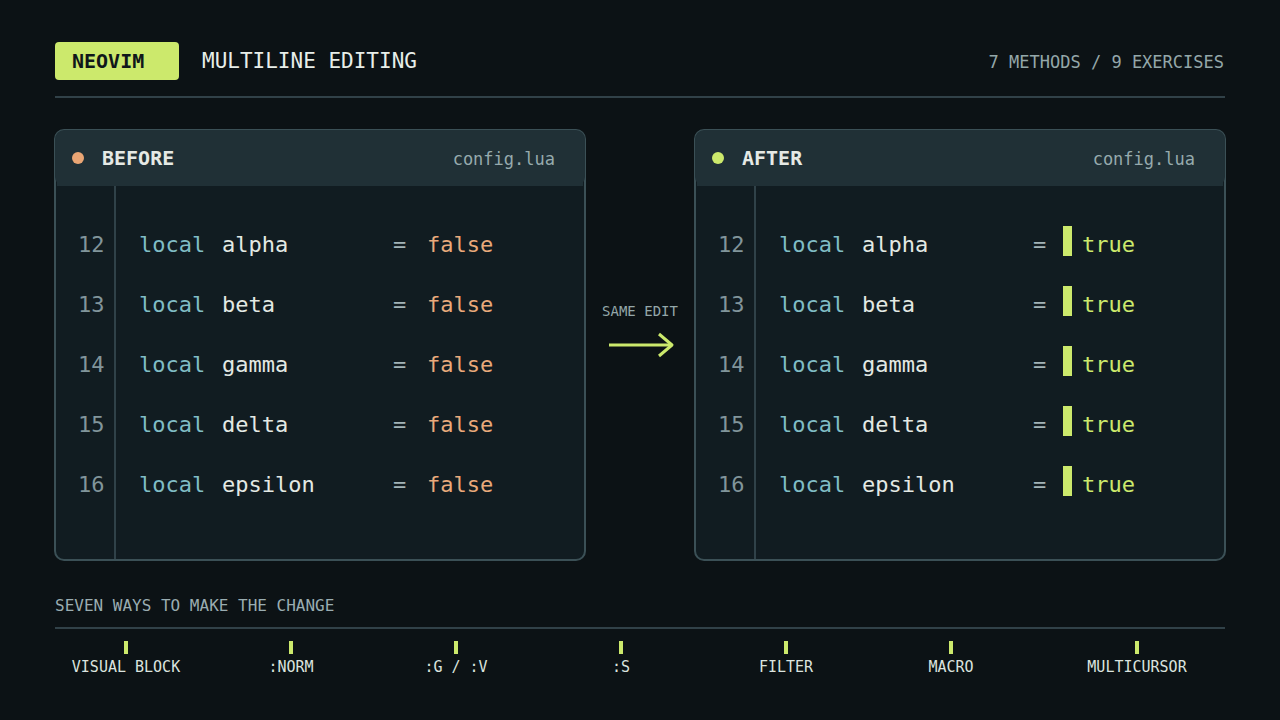
Sooner or later you make the same small edit on line one, then line two, then line three. Neovim has had several ways to avoid that loop for years, and a newer one arrives with 0.13: built-in multicursor. This post walks through each method with a small example, covers multicursor in depth, and ends with a rule of thumb and a keystroke count for nine exercises. Multicursor is available only in nightly builds until Neovim 0.13 ships; every other method works in any Neovim, and in Vim.
The post goes with the video Neovim Multi-Line Editing Overview, Multicursor Included, which plays three of the exercises live.
The edit loop
Every multiline edit starts the same way: find the spot, make the edit, go to the next line.
find the spot ──▶ make the edit ──▶ next line
     ▲                                  │
     └──────────────────────────────────┘
Each extra line is another trip around the loop. Ten lines are tolerable. A few hundred are a reason to look for another way.
Targets and edit
Every multiline edit answers two questions: where the targets are (lines, search matches, or spots you pick by hand), and what the edit is (a set of keys, a command, a substitution). Each method below is one pair of answers.
The Vim grammar already helps with the second question. A motion finds its own target on every line. Take these two lines:
[INFO] server started on port 8080
[ERROR 503] connection failed: timeout after 30s
f] stops at the ] on each line, even though the two brackets sit in different columns. Replay the motion on each line and it finds that line's own bracket. Most methods below lean on that property.
Two method families
The methods split by how you work.
Command methods describe the edit and run it: :norm, :g and :v, :s, :! external commands, and macros. You see the result and none of the individual keys.
Cursor methods make the edit on screen and let you watch it land: visual block and multicursor. You see every key take effect.
The two families combine. :g/pat/normal! Q lets a command pick the lines while you type the edit live, and later sections show how.
Classic methods
Each of these predates multicursor. The examples come from nine exercises that appear again in the scoreboard.
Visual block
CTRL-V selects a rectangle and I types into every row of it. To turn a list of tasks into bullets:
CTRL-V G I - <Esc>
Buy milk                                 - Buy milk
Call the dentist tomorrow morning   ──▶  - Call the dentist tomorrow morning
Fix bug                                  - Fix bug
Visual block fits the same column on every line. It does not fit targets that move from line to line, because the rectangle has fixed edges.
Normal on a range
:norm runs normal-mode keys on each line of a range. To strip the brackets from log levels:
:%norm xf]D
Read it from the right: D deletes to the end of the line, f] jumps to the ], x deletes the [, and % is every line. You type it once on the command line and see only the result.
Global command
:g/pattern/cmd runs cmd on lines that match. :v/pattern/cmd runs it on lines that do not. To prefix every line that has no colon:
:v/:/s/^/[ok] /
Here the target is a condition that no screen position can express.
Substitution
:s rewrites every match of a pattern. To turn snake_case into camelCase:
:%s/\v_(.)/\u\1/g
\v is very magic mode, where ( ) group without backslashes. _(.) matches an underscore and the letter after it, \u\1 writes that letter back in uppercase, and g applies to every match on the line. Substitution also combines with :cdo and :argdo to reach many files.
External commands
:{range}!cmd pipes lines through a command-line tool and keeps what it prints.
:%!sort -u
:'<,'>!column -t
:%!jq .
These sort and deduplicate, align a selection into columns, and pretty-print JSON. Any tool that reads stdin and writes stdout becomes an edit.
Macros
Record an edit once and replay it anywhere:
qq … +q
4@q
"qp
qq starts recording into register q, and ending the edit with + moves to the next line so each replay starts fresh. 4@q replays four times. "qp pastes the macro as text so you can fix a typo, and the register keeps the macro for later, in any file.
Multicursor
Built-in multicursor is the newest method. It sits beside the classics without replacing them. :help mcursor describes it as extra cursors that repeat operations at each cursor as you type. Unlike a macro, which is a stream of keys without context, multicursor replays actions semantically: it re-runs the command at each cursor.
Because it is a nightly feature until 0.13, check nvim --version before relying on any key below.
Placing cursors
Four keys place cursors:
{Visual}Q     " a cursor on each selected line
Q             " toggle a cursor where you stand
zqgn          " a cursor on every match of the last search
CTRL-click    " add a cursor with the mouse
After that you type, and the edit lands at every cursor as you go. A first example is the bullet list again:
VGQI- <Esc>
V selects the line, G extends to the last line, Q puts a cursor on each, and I- <Esc> inserts the prefix at all of them. A few details from the help are worth knowing. A Visual Q also enables follow mode (q=), where motions such as w and f] replay per cursor. And zq is an operator that places a cursor at every target of a motion, so /_<CR>zqgn puts a cursor at every underscore, even several on one line. A count on Q forces it instead of toggling: 1Q adds a cursor, 2Q removes one.
Scripted placement
Q is a normal-mode command, so any Ex command can place cursors:
:g/pat/normal! nQ         " on every match
:g/ERROR/normal! f]Q      " after the ] on ERROR lines only
:v/:/normal! Q            " on lines without a colon
:cdo normal! Q            " at each quickfix item
From Lua, an extmark in the nvim.multicursor namespace places a cursor anywhere: vim.api.nvim_buf_set_extmark(0, vim.api.nvim_create_namespace("nvim.multicursor"), r, c, {}). A command picks the spots and you type the edit live. The :g and :v conditions from the classic section now drive cursor placement instead of a fixed edit.
Command replay
Neovim replays the command at each cursor. It does not replay the raw keys.
typed once      runs at every cursor
f]         ──▶  each line's own ]
dt=        ──▶  each line's own text, cut to its own register
@q         ──▶  the whole macro
u          ──▶  one undo for every cursor
This is why a motion that lands in a different column on each line still works, and why macros run at every cursor too. Undo is atomic: one u reverts the edits from all cursors at once. A cursor whose edit cannot start is removed, so ct; drops the cursor on any line with no ;.
Per-cursor registers
Each cursor reads and writes its own registers. Flipping an assignment shows it:
VGQ dt= A=<Esc> p 0x
name=john      ──▶  john=name
age=30         ──▶  30=age
city=london    ──▶  london=city
dt= cuts the text before the = into that cursor's own register, A=<Esc> appends an equals sign, p pastes each cursor's own text, and 0x removes the leading =. When the session ends, the yanks join into one register, a line each. Paste with p after A=<Esc>: an x before the paste would overwrite each cursor's register.
Session keys
A few more keys work while cursors are active:
q=          " follow mode: motions move every cursor
CTRL-L      " clear the cursors
gQ          " bring the last cursors back
]C  [C      " jump to the next or previous cursor
g CTRL-A    " number the cursors 1, 2, 3
u           " undo the last edit at every cursor
If CTRL-L is taken in your setup, clear the cursors by clearing the nvim.multicursor namespace, for example from a mapping on <Esc>. The help also notes that ]CQ removes cursors one at a time.
Limits
From :help mcursor-limitations and the cursor rules:
- Cursors live in one buffer. Edits across many files still need
:cdo. Qis not allowed while a macro records or runs.- The explicit clipboard registers
"+and"*are global and shared by all cursors. g-,g+, and:earlierclear every cursor.- Same-line cursors may be lost or misplaced by an edit that shifts columns, such as inserting text.
- Reloading or unloading a buffer clears its cursors.
Rule of thumb
Ask from the top of the list. The first yes picks the method.
- Is it a job a command-line tool already does? Use a
:%!external command. - Is it across files, or too many lines to watch? Use
:sor:normwith:cdo. - Is it an edit you will replay later? Record a macro.
- Is it one column on adjacent lines? Use visual block.
- Are the lines picked by a pattern? Use
:gor:v. - Is it one fixed string swapped for another? Use
:s. - Is it anything else that you can see on screen? Use multicursor.
Multicursor handles whatever the earlier questions leave. Visual block still wins the column prefix. :v wins the conditional prefix. An external command beats everything when a tool already exists.
Keystroke golf
Nine exercises, each with a .before file and a .solution file. Every row was run on Neovim 0.13-dev nightly with --clean, with the cursor starting on line 1, column 1. The table lists the shortest non-multicursor method found for each exercise and the multicursor solution, in keys typed.
| Exercise | Shortest other method | Multicursor |
|---|---|---|
| 01 add-prefix | visual block <C-V>GI- <Esc>, 6 keys | VGQI- <Esc>, 7 keys |
| 02 log-levels | macro qqxf]D+q4@q, 11 keys | VGQxf]D, 7 keys |
| 03 brackets-to-quotes | macro qqr"f]r"+q4@q, 13 keys | VGQr"f]r", 9 keys |
| 04 first-field | :s :%s/,.*<CR>, 8 keys | VGQf,D, 6 keys |
| 05 add-semicolons | :s :%s/$/;<CR>, 8 keys | VGQA;<Esc>, 6 keys |
| 06 wrap-parens | macro qqwi(<Esc>A)<Esc>+q4@q, 14 keys | VGQwi(<Esc>A)<Esc>, 10 keys |
| 07 flip-assignment | macro qqdt=A=<Esc>p0xjq4@q, 16 keys | VGQdt=A=<Esc>p0x, 12 keys |
| 08 conditional-prefix | :v :v/:/s/^/[ok] <CR>, 15 keys | /^\w*$<CR>zqgnI[ok] <Esc>, 18 keys |
| 09 snake-to-camel | :s :%s/\v_(.)/\u\1/g<CR>, 18 keys | /_<CR>zqgnx~, 9 keys |
Multicursor is shorter on seven of the nine. The two exceptions match the rule of thumb. Visual block takes the prefix in 01 by one key. In 08 the condition is the whole task, and :v/:/ states it directly, while the multicursor version has to find the lines with a search pattern first.
A few notes on the counts:
- A macro that steps to the next line before
qand replays with4@qcosts its edit plus 7 keys. That beats:normand:son 02, 03, 06, and 07.+steps to the first word, andjkeeps the column, which breaks 06 but suits 07, whose edit ends in column 1. - The other methods for a few rows:
:%norm I- <CR>(11) on 01,:%s/ \zs.*/(&)<CR>(15) on 06,:%s/\v(.*)\=(.*)/\2=\1<CR>(23) on 07, and:v/:/norm! Q<CR>I[ok] <Esc>(20) on 08. - Exercise 09 puts several cursors on one line:
zqgnadds one at every_match. The video uses1Qon 08 and 09, which placed a cursor at every match until Neovim addedzqon September 29;1Qnow forces a single cursor.
Keys typed is one measure. A :s command shows only the result, and a macro replays from a register long after the session ends. The rule of thumb weighs those properties as well as the count.
Getting started
Grab a nightly build from the Neovim releases page, open :help mcursor for every key with examples, and run the exercises. The runner script checks each result against its .solution file, and the exercise files are in the repository linked below. Press VGQ on a few lines and type an edit to see it land at every cursor.