What If Your Docker Was Also Your Kubernetes?

Local Kubernetes development has rough edges. kind and minikube make cluster creation trivial, but common workflows need extra setup.
Exposing a LoadBalancer service means configuring MetalLB or tunneling through ngrok. Testing a new image means running kind load docker-image every iteration.
vind encapsulates these workflows. Kubernetes nodes run as Docker containers sharing the host daemon, so images pull straight from the local cache. A built-in LoadBalancer controller assigns real IPs without additional configuration.
vind
vind (vCluster in Docker) runs the Kubernetes control plane and simulated nodes as Docker containers. They share your host's Docker daemon. Currently experimental but functional.
Prerequisites:
- Docker with containerd image store enabled (see below)
- vCluster CLI v0.31.0+ (install guide)
- Linux: bridge kernel modules loaded
Docker setup (required for registry proxy):
# Enable containerd image store
echo '{"features":{"containerd-snapshotter":true}}' | sudo tee /etc/docker/daemon.json
sudo systemctl restart docker

# Verify
docker info | grep "driver-type"
# Should show: driver-type: io.containerd.snapshotter.v1
Linux kernel modules (if node join fails):
sudo modprobe bridge br_netfilter
vind workflow:
# vcluster.yaml - need at least one node for pods to schedule
experimental:
  docker:
    nodes:
    - name: "worker-1"
# 1. Set Docker driver (once)
vcluster use driver docker

# 2. Create cluster with node config
vcluster create my-cluster --values vcluster.yaml

# 3. Deploy (images from your local Docker cache)
kubectl apply -f deployment.yaml
# LoadBalancer gets an IP
Your local Docker images are already available. LoadBalancer services get real IPs reachable from your machine.
vCluster Platform Free Tier
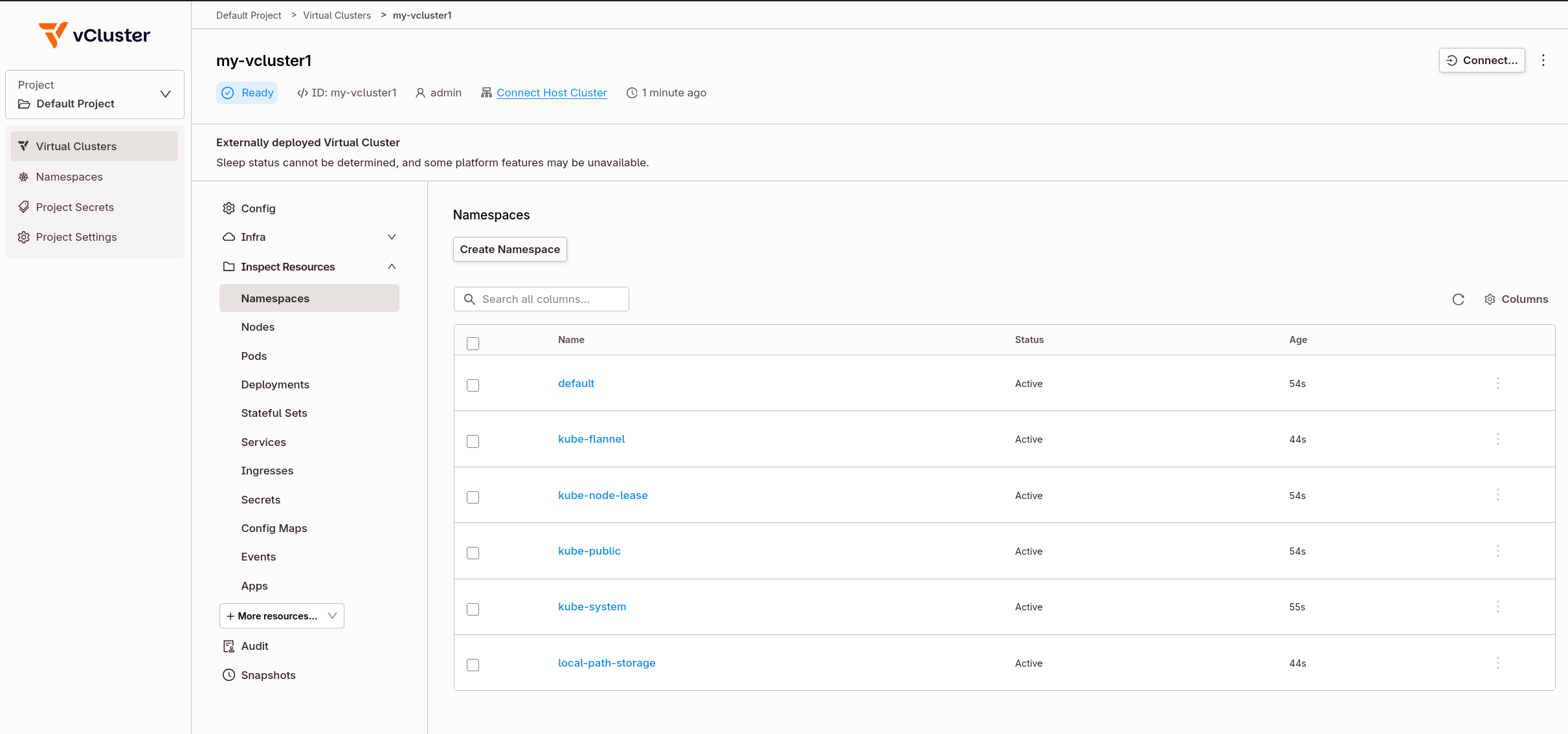
vind works standalone. Connecting it to vCluster Platform's free tier adds management features.
Enterprise features now free:
- Sleep mode (pause/resume clusters)
- Templates and self-service
- User management and RBAC
- CRD sync and sync patches
- Embedded etcd
Limits:
- 64 vCPU cores
- 32 GPUs
- Unlimited users
- Unlimited host clusters
- Unlimited virtual clusters
Covers homelabs, dev environments, CI pipelines, and conference demos.
Activate free tier:
- Deploy vCluster Platform following the installation guide
- Enter your email when prompted in the Platform UI
- Complete activation via the email link
Once connected, vind clusters appear in the Platform dashboard with options for multi-cluster management, team access sharing, and external node joining.
Registry Proxy
The registry proxy is why vind iteration is faster than kind. Comparison:
kind:
docker build -t myapp:v2 .           # Build locally
kind load docker-image myapp:v2      # Copy entire image into cluster
kubectl set image deploy/app app=myapp:v2  # Deploy
# Wait for image copy... then deploy
vind:
docker build -t myapp:v2 .           # Build locally
kubectl set image deploy/app app=myapp:v2  # Deploy immediately
# Pod starts, registry proxy serves image from local Docker
The registry proxy runs inside vind and intercepts image pulls. When containerd inside the worker node requests myapp:v2, the proxy checks the host Docker daemon first. Local images are served directly.
This also works for public images. Pull nginx:latest once on your host, every vind cluster reuses it.
# On host
docker pull nginx:latest

# In vind cluster - instant, no network pull
kubectl run nginx --image=nginx:latest
LoadBalancer Services That Work
With kind, LoadBalancer services stay <pending> without additional setup. NodePort or port-forward become the standard workarounds.
vind includes a LoadBalancer controller that assigns real IPs:
kubectl create deployment web --image=nginx
kubectl expose deployment web --port=80 --type=LoadBalancer

kubectl get svc web
# NAME   TYPE           CLUSTER-IP     EXTERNAL-IP   PORT(S)
# web    LoadBalancer   10.96.45.123   172.19.0.5    80:31234/TCP
That IP is routable from your host:
curl 172.19.0.5
# <!DOCTYPE html>
# <title>Welcome to nginx!</title>
# ...
Multiple LoadBalancer services get different IPs.
Multi-Node Clusters
Test node affinity, pod anti-affinity, or DaemonSets with multiple workers:
# vcluster.yaml
experimental:
  docker:
    nodes:
    - name: "worker-1"
    - name: "worker-2"
    - name: "worker-3"
vcluster create multi-node --values vcluster.yaml
kubectl get nodes
# NAME       STATUS   ROLES    AGE
# worker-1   Ready    <none>   30s
# worker-2   Ready    <none>   30s
# worker-3   Ready    <none>   30s
Each node is a Docker container. Add more by adding lines to the config.
External Nodes via Platform
With vCluster Platform Pro, you can join real machines to your vind cluster using vCluster VPN. This enables hybrid scenarios: your laptop runs the control plane, a Raspberry Pi or cloud VM joins as a worker.
# vcluster.yaml
experimental:
  docker:
    nodes:
    - name: local-node
privateNodes:
  vpn:
    enabled: true
    nodeToNode:
      enabled: true
vcluster create hybrid --values vcluster.yaml
The external machine connects through the Platform and appears as a node in kubectl get nodes. Test ARM workloads, edge scenarios, or distribute workloads across machines.
vind vs kind
| Feature | kind | vind |
|---|---|---|
| LoadBalancer | Requires MetalLB setup | Built-in controller |
| Images | kind load per change | Pull-through from Docker |
| Multi-node | Separate config | Add lines to yaml |
| Pause/resume | Delete and recreate | vcluster pause/resume |
| Management UI | CLI only | Platform (free tier) |
| External nodes | Local only | VPN join (Pro) |
Choose vind when
LoadBalancer services need real IPs without MetalLB. Image iteration is frequent (demos, rapid development). Clusters need pausing to free resources. A management UI would help.
Stick with kind when
The workflow already works. CI/CD pipelines need maximum compatibility. Minimal dependencies matter more than features.
Resources
- vind | vCluster in Docker | Across The Tenancy Spectrum - Video walkthrough
- vind GitHub
- vind Documentation
- Launching vCluster Free - Free tier announcement
- Platform Installation Guide