
2 posts tagged with "ollama"

View All Tags

Your AI Agent Should Read Your Notes Before Answering
· 11 min read

RAG Architecture

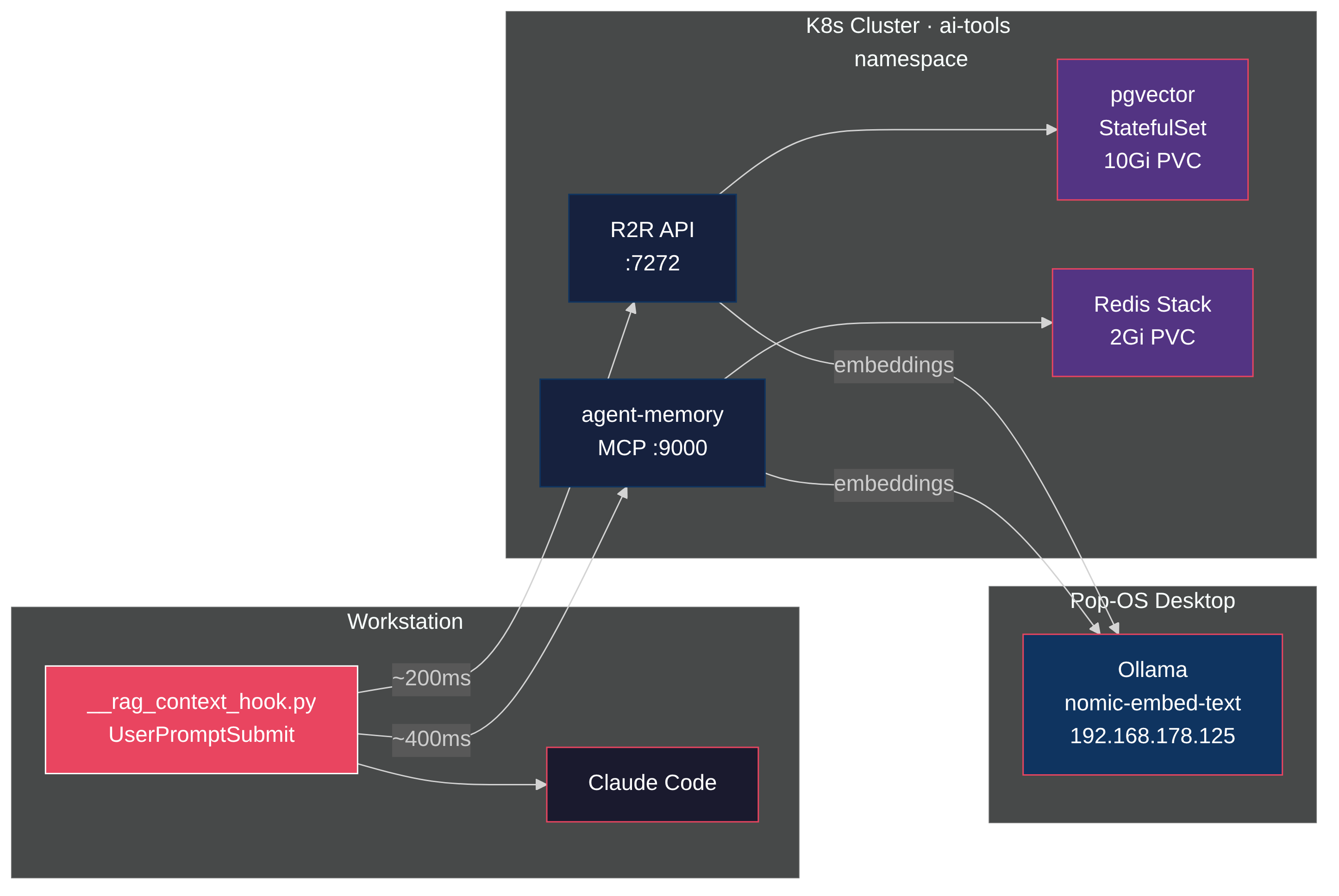
I have 392 notes in Obsidian and ~2,800 memories from past AI sessions. My AI agent knows none of it unless I paste it in manually. And I can only paste what I remember to paste — which defeats the point of having a knowledge store.

So I built a hook that fires before every prompt, searches both stores in parallel, and injects the relevant context before the agent thinks. R2R as the RAG backend, pgvector for storage, Ollama for embeddings, all on a homelab Kubernetes cluster. Total latency: under 250ms. Zero tokens consumed in the retrieval path.

The value isn't the search itself. It's what surfaces when you stop choosing what's relevant. Ask about a Kubernetes pattern and a six-month-old Obsidian note appears. Debug a tmux issue and a memory from a previous session shows up with the exact fix. The agent answers from your accumulated knowledge, not just its training data.
Give Your AI Agents a Brain That Survives a Reboot

· 12 min read

Agent Memory Architecture

AI agents learn things about you as you work. Your coding style, your infrastructure quirks, which tools you prefer, how you name things. That context accumulates across dozens of sessions. But it evaporates when the session ends or when you switch tools. Use Claude Code in the terminal, Cursor in the IDE, and a web-based MCP client on your phone. Three tools, three isolated memory silos. You can share static knowledge with files. But the context that accumulates from your interactions has nowhere to go.

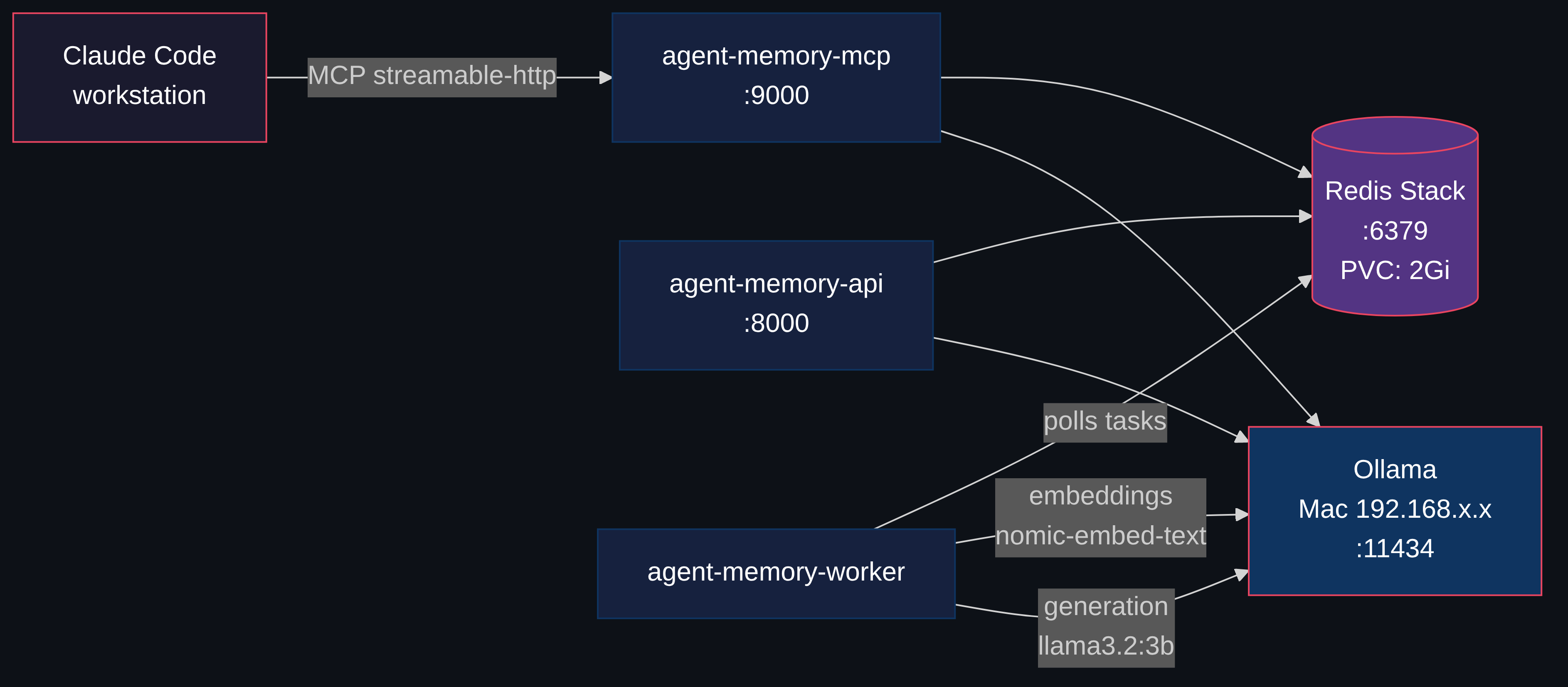
What if the memory layer was separate from the tools entirely? Redis Agent Memory Server does exactly that. It's an open-source memory service that speaks MCP over HTTP. CLI tools (Claude Code, Codex, Gemini CLI), IDE tools (Cursor, Windsurf, Copilot), and any web-based MCP client all connect to the same store. Because the server runs over HTTP, you can expose it beyond the homelab with Cloudflare Tunnels or similar, so tools outside your network connect too. The memory lives on your infrastructure, not theirs.

The server provides two tiers: working memory (session-scoped context that auto-promotes to long-term) and long-term memory (persistent, semantically searchable). It exposes both a REST API and an MCP interface.

I deployed it on my homelab Kubernetes cluster. Four pods, one PVC, zero API costs. Here's how.